Editing your project
The Project Card tab: the Markdown write-up with math and preview, plus your thumbnail, tags, contributors, and links.
The Project Card tab is where you document your work, so others can understand it and build on it. Everything here saves on its own as you type; there is no Save button, and the header shows a save status.
The write-up
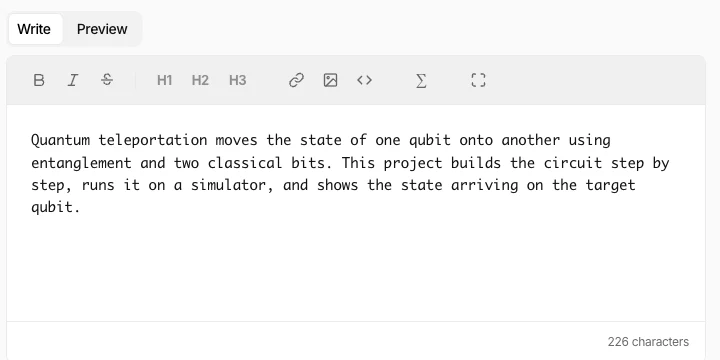
The main editor takes Markdown. A Preview toggle shows it the way readers will see it, and the toolbar includes a math button for the equations quantum write-ups usually need.
The rest of the card
- Thumbnail (optional): drag and drop an image, or Browse. It is the picture that represents your project wherever it is listed. Without one, a default image is used.
- Tags: topics like
qiskit,ionq, orentanglementthat help people find your work. - Contributors: add collaborators to the project.
- Links: a Git repository and a project website, for anyone who wants the full source or a live demo.
Related
Stay in the loop.
Get the latest tutorials, demos, and project showcases straight to your inbox. No noise, just the good stuff.
Enable JavaScript to sign up.
Qollab updates only. Unsubscribe any time. Privacy Policy.