The project page
A map of the Qollab project page: the tabs, the write-up, the sidebar, and the header, and what draft versus published means.
Every Qollab project uses the same layout.
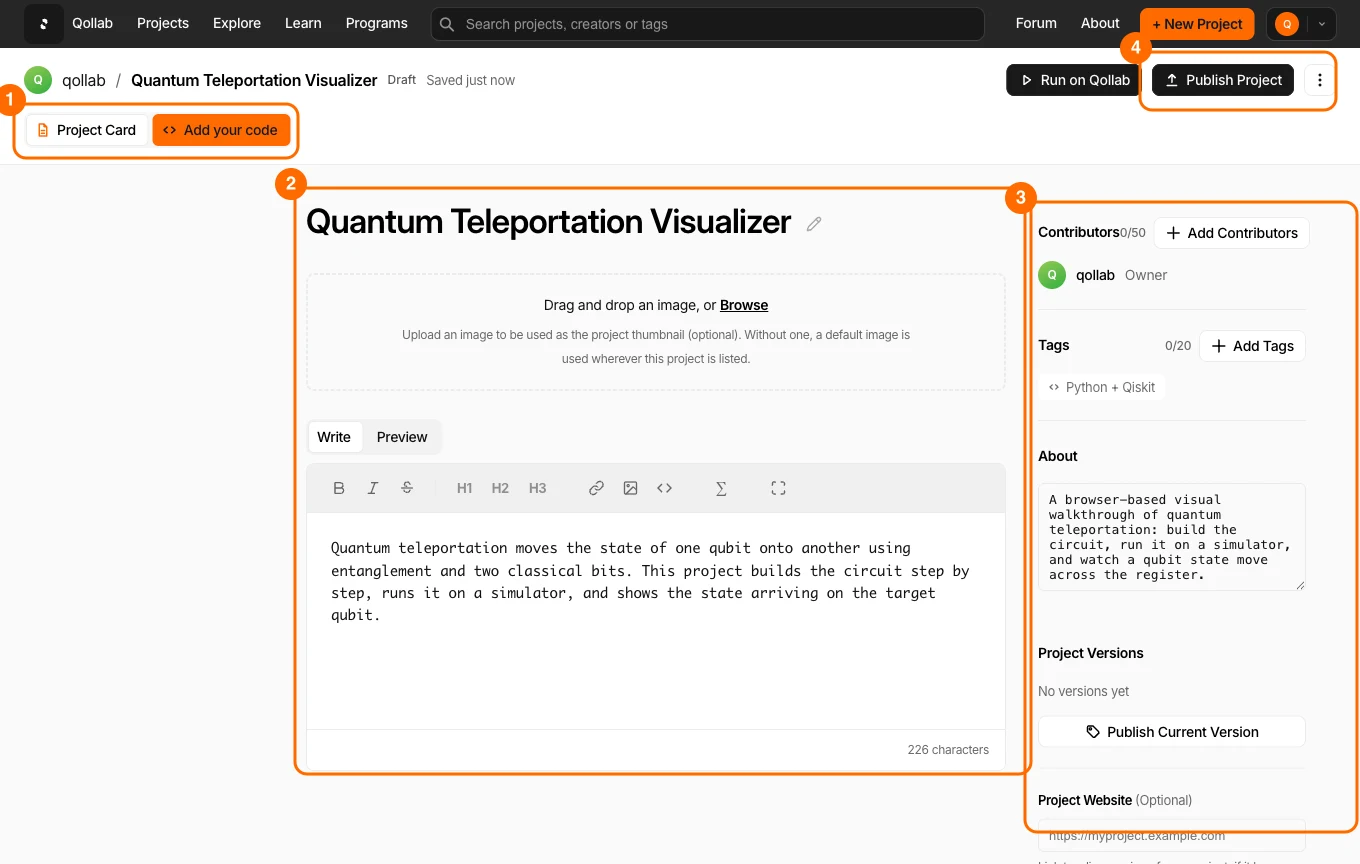
- The tabs. Every project has Project Card and Code, and a published project also has Discussions. Project Card holds your write-up and details. Code holds the editor and the runner where circuits execute.
- The main column. Your project title, an optional thumbnail image, and the write-up, a Markdown editor with a Preview toggle and support for math notation. The pencil beside the title renames the project or changes its URL.
- The sidebar. Your contributors, tags, the About summary that shows on your project card, your published versions, and links to a repository or a website.
- The header. A Draft label while no version is public and the default, and the ⋯ menu with Share, Delete for the owner, and Download while one is. In edit mode, the header also shows the Publish button and the autosave status. Outside edit mode, it shows Run on Qollab, Edit for the owner, and Fork and Like while a version is public and the default.
Draft versus published
A project is private while it is a draft: only you can see it. Publishing copies your draft into a version. Once a version is public and the default, the project is reachable at qollab.xyz/u/<your-username>/<project>. After that, edits save to the draft on top of the published version, and you choose when to publish those changes. Nothing you edit goes live until you publish it.
Related
Stay in the loop.
Get the latest tutorials, demos, and project showcases straight to your inbox. No noise, just the good stuff.
Enable JavaScript to sign up.
Qollab updates only. Unsubscribe any time. Privacy Policy.